I don’t pay for cable TV, nor do I pay for satellite. How do I watch TV? If you’ve read “Free TV (almost)” then you know that I primarily get entertainment through Netflix- how inconvenient. It really isn’t, primarily because of a device called a Roku.
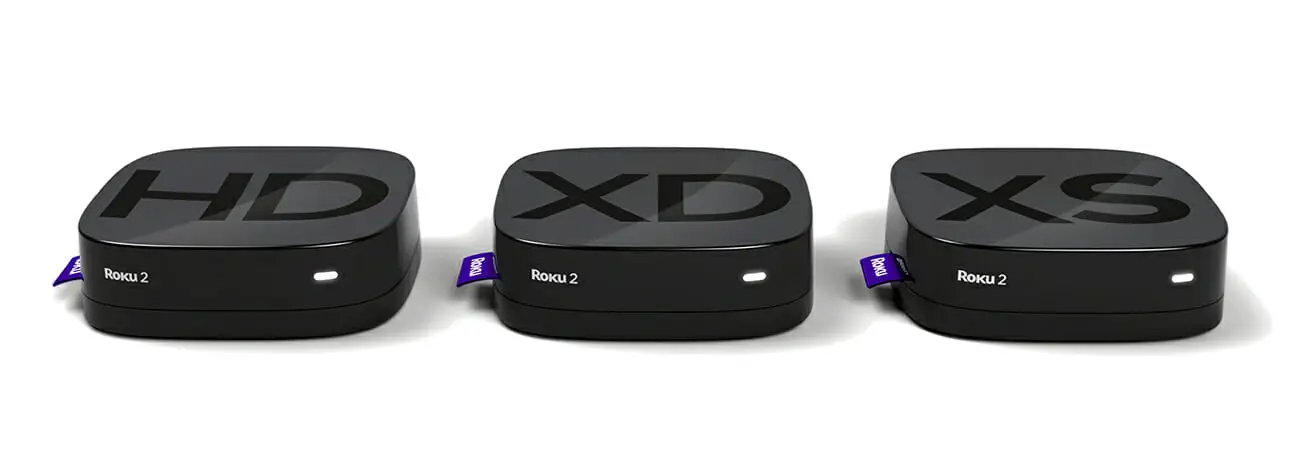
The Roku is a square box, not much bigger than two packs of playing cards stacked next to one another, which connects to the internet and streams content over my internet connection directly to my TV. It allows me to stream:
- Netflix
- Amazon Instant
- Crackle
- and about 500 other free and premium “channels”
Is the Roku Worth It?
Roku offers a couple of different models, including the most basic starting at about $50.00. Considering that I haven’t paid for cable television for the past 2+ years, I would absolutely say the Roku is worth the cost. Of course, you still have to pay for your subscriptions such as to Netflix.
Can You Get Sports on Roku?
Yes, but you must have a subscription to the service. For example, if you love the NHL, you can get NHL games streamed to your Roku, but you must have a subscription to NHL Game Center Live (about $10 – $15/month). MLB Appears to cost about $25/year through MLB.TV. MLS Looks to cost about $35/year through live.MLSSoccer.com. You can’t watch NFL on Roku as of this writing but an Antenna should be able to pick up most of the games.
Can You Watch News and Weather on Roku?
There are channels available, but don’t expect the same kind of programming that you get from your local cable provider. I still use my computer and tablet for news and weather. The nice thing about our setup is that I’ve realized how useless watching most news is. I’m not saying that being informed is bad, but we really do get too much, and most of it is for conversation more than anything.
What Are “Channels”?
Roku channels can basically be thought of like apps on a phone or tablet. You go to Roku’s channel marketplace, you find some channels that sound interesting and select them. You can then view the channel’s contents. If you like it, keep it, if you don’t, then remove it.
Installing The Roku
Installation is very simple. Roku brags about their “5 minute set up process” and they aren’t lying. I clocked mine in under 5 minutes. You connect the Roku to your television with a cable, you plug it into the power outlet, then you connect it to your WiFi using the remote and complete the setup process.
- Here is a Roku setup video if you’re curious
- And here is a Roku setup article if you don’t feel like watching the above video.
Roku Cons
The primary con that I’ve run into with the Roku is that you can’t turn it off. It is just always on. It took a while to get used to it. The other primary con comes from content, but it really isn’t Roku’s fault, the entertainment industry is kind of like the telecom industry. They have trouble keeping up with technology changes and the demands of their customers.
The most notable problem the Roku has is that it can’t stream YouTube videos, which may or may not be a big deal to you. As technology evolves though, I believe the content problem will become less of a problem. That’s my review of the Roku set-top box, I find it very simple to use, and extremely convenient.
